Choosing Between Build and Quick Build
Discover the differences between DFS Hero’s Build and Quick Build lineup options to enhance your lineup-building experience
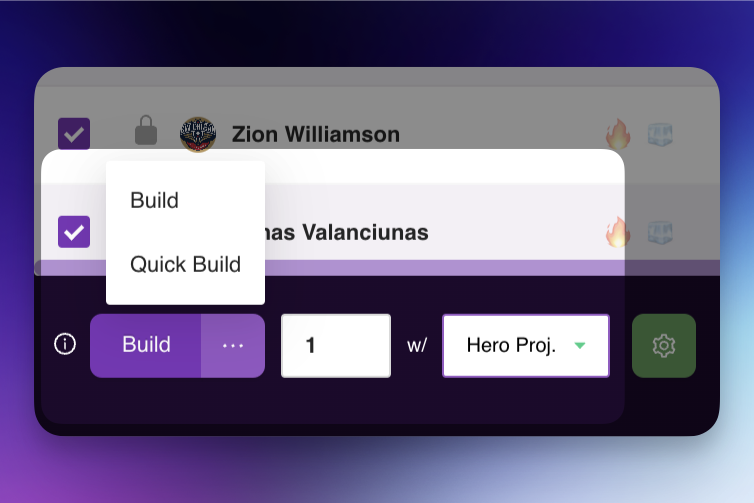
In DFS Hero, we offer two lineup-building options to fit different needs and lineup volumes: Build and Quick Build. Here’s how each works and when to choose one over the other.
Build
Build is our classic lineup-building experience. With this method, you specify the number of lineups you want to generate in a single build session. This option is ideal if you’re looking to build up to 500 lineups. It provides a straightforward approach where the system works through each lineup in sequence, delivering a cohesive set of lineups in one build session.
When to use Build:
• If you’re generating 500 or fewer lineups.
• When you want a simple, straightforward build process for a smaller set of lineups.
Quick Build
Quick Build is our new and enhanced multi-build experience. Unlike the classic Build, Quick Build allows you to run multiple builds concurrently, optimizing the process for creating a large volume of lineups. This option is ideal for anyone needing to build over 500 lineups or who wants their lineups generated quickly. Quick Build launches multiple lineup-building tasks at once, combines the results, removes duplicates, and groups everything into one consolidated build.
When to use Quick Build:
• If you’re generating more than 500 lineups.
• When you want to generate a large number of lineups faster.
• For optimized performance when handling higher lineup volumes.
Summary
• Build: Recommended for 500 lineups or fewer—a simple and classic build.
• Quick Build: Best for over 500 lineups—faster and ideal for large volumes.
Choosing the right option will enhance your lineup-building experience, ensuring you have the right tool for your lineup volume and timing needs.